How to Manage Multiple Facebook Accounts on One Device

Running several Facebook accounts from one computer sounds simple until login checks, disabled ad accounts, or suspicious activity warnings start appearing. Many marketers, agencies, and eCommerce teams run into these issues after switching accounts in a regular browser or sharing the same device setup across multiple users.
This guide explains how to manage multiple Facebook accounts on one device without creating unnecessary account risks. You'll learn how Facebook links accounts, how to separate two Facebook accounts that are connected, and which workflows help keep advertising operations stable over time.
We'll also look at how tools like AdsPower and Uproas fit into a safer multi-account setup for businesses handling Facebook campaigns at scale.
Can You Have Multiple Facebook Accounts on the Same Device?
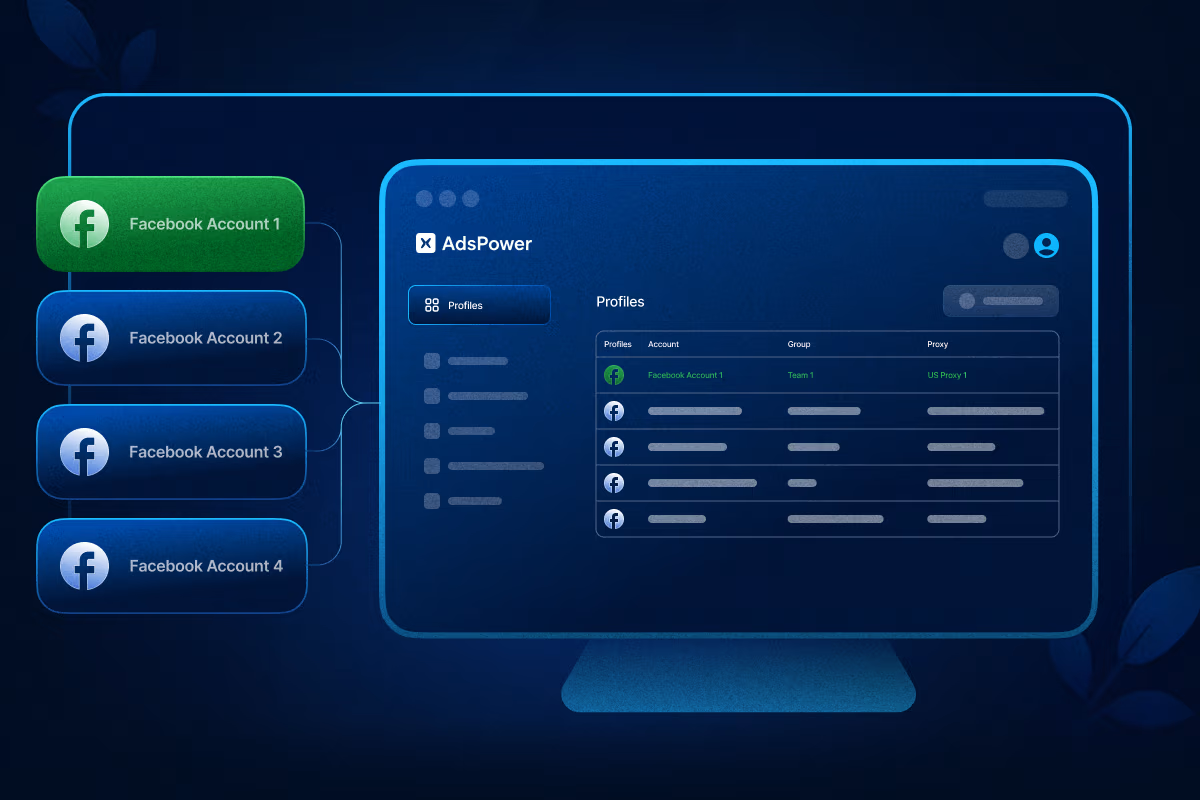
Yes, multiple Facebook accounts can be used on the same device. The challenge is not the device itself. The problem comes from how Facebook detects account relationships behind the scenes.
Facebook tracks more than login credentials. Its systems can analyze:
When several accounts share the same browser environment, Facebook may treat them as connected. This can trigger checkpoints, temporary locks, or ad account reviews.
For casual users, this may only cause occasional verification requests. For advertisers or agencies managing client assets, it can interrupt campaigns and delay account access.
That is why many professionals separate accounts using dedicated browser environments instead of relying on standard Chrome sessions.
Why Facebook Accounts Get Linked
A large number of account issues come from unintentional linking signals. Even experienced marketers sometimes overlook them.
Shared Browser Data
Logging multiple accounts into the same browser profile leaves behind cookies, cached sessions, and browsing history. Facebook can use this data to connect accounts.
Similar Device Fingerprints
Your browser exposes technical information such as:
- Operating system
- Screen resolution
- Browser version
- Fonts
- Hardware settings

When several accounts repeatedly appear under the same fingerprint, they may look related.
Shared IP Addresses
Using one network for many accounts within short periods can raise security flags, especially during heavy ad activity.
Reused Recovery Information
Phone numbers, recovery emails, and payment methods are common connection points between accounts. This is one reason many advertisers source separate, pre-aged profiles from trusted suppliers rather than reusing personal info, see our guide to the best sites to buy old Facebook accounts .
How to Separate Two Facebook Accounts That Are Linked
If Facebook accounts already appear connected, the first goal is reducing overlapping signals.
Use Separate Browser Profiles
Avoid managing all accounts inside one Chrome window.
Instead, create isolated browser environments for each account. This keeps cookies, sessions, and fingerprints separated.
AdsPower is commonly used for this purpose because each browser profile operates like an independent device. That makes account organization cleaner and reduces accidental overlap.
Remove Existing Browser Data
Clear the following data when logging into another account:
- Cookies
- Cache
- Saved sessions
- Autofill data
This removes stored information that may continue linking accounts together.
Separate Contact Details
Avoid sharing:
- Recovery emails
- Phone numbers
- Payment methods
- Business ownership structures
Unique account details help reduce connection signals.
Maintain Stable Login Behavior
Frequent account switching from different locations or devices can look suspicious. Consistency matters more than speed. Pairing each profile with a stable dedicated proxy is a common safeguard, see our roundup of the best proxies for Facebook ads for vetted options.
How to Manage Multiple Facebook Accounts Efficiently
Once accounts are properly separated, the next challenge is managing them without creating operational problems.
Assign One Environment Per Account
A clean structure often works better than a complicated one.
Many agencies follow this setup:
This reduces confusion and lowers the chance of cross-account activity.
Use Anti-Detect Browsers for Account Isolation
Standard browsers were not designed for large-scale account management.
Anti-detect browsers create isolated environments where each profile has its own:
With AdsPower, users can manage multiple Facebook accounts from one dashboard while keeping browser environments separated.
This setup is useful for:
- Facebook advertisers
- Affiliate marketers
- Social media agencies
- Virtual assistants
- Marketplace sellers
Instead of constantly logging in and out, users can launch dedicated profiles tied to specific accounts.
Avoid Aggressive Account Switching
One common mistake is rapid switching between accounts throughout the day. For example:
- Logging into 10 accounts within minutes
- Opening unrelated accounts inside one session
- Constantly changing IP locations
These patterns often trigger verification checks. There is a safer approach including:
- Keeping accounts in separate profiles
- Using stable browsing routines
- Avoiding unnecessary logins
- Maintaining consistent activity patterns
Small adjustments often make a noticeable difference in account stability.
Why Advertisers Are Moving Away From Personal Facebook Ad Accounts

Running paid campaigns at scale on Facebook is increasingly difficult with standard personal or business ad accounts. What starts as a minor inconvenience quickly becomes a serious operational bottleneck.
Common issues include:
- Spending limits: Personal accounts are assigned low default spending caps that refresh slowly, making it nearly impossible to scale budget without weeks of account "seasoning."
- Billing reviews: Facebook routinely pauses campaigns mid-flight to verify payment methods, sometimes freezing ad delivery for 24–72 hours with no warning.
- Random account checks: Automated systems flag accounts for identity or policy verification, forcing campaigns to halt until a human review is completed, which can take days.
- Delayed campaign approvals: New ads on personal accounts are reviewed more strictly and slowly, meaning time-sensitive campaigns miss their launch windows.
- Account bans and disabled access:Personal and even standard Business Manager accounts are highly susceptible to permanent disabling, with notoriously difficult appeals processes. If your account has already been hit, our walkthrough on the Facebook disabled account appeal covers your options.
Why Facebook Agency Ad Accounts Are in a Different League
Agency ad accounts, sometimes called whitelisted or managed accounts, operate under a fundamentally different trust tier within Facebook's infrastructure. Here's why they're superior:
- Pre-established trust signals: These accounts have deep, verified history with Meta. Facebook's algorithm treats them as low-risk, meaning far fewer automated flags and interruptions.
- Higher spending thresholds from day one: Unlike personal accounts that start at $25–$50/day limits and scale slowly, agency accounts often begin with significantly higher caps, letting you push budget immediately.
- Faster ad approvals: Ads submitted through agency accounts move through review queues faster, with some seeing near-instant approvals, critical for product launches or time-sensitive offers.
- Dedicated rep access: True agency accounts often come with access to Facebook support channels that personal account users simply don't have, meaning real humans can resolve issues quickly.
- Reduced ban exposure: Because the account infrastructure is managed at a higher level, individual campaign or billing issues are far less likely to cascade into a full account shutdown.
- Stable, uninterrupted delivery: Without billing pauses, spending limit reviews, or random checks derailing campaigns, your ads run continuously, protecting ROAS and campaign momentum.
For media buyers managing multiple clients or high-spend campaigns, the difference between a personal ad account and an agency account isn't marginal, it's the difference between running campaigns and constantly firefighting restrictions.
Uproas gives advertisers direct access to Facebook agency ad accounts, without requiring you to build or maintain it yourself.
Here's specifically what Uproas provides and why it matters:
For agencies or media buyers, this can simplify campaign management while reducing dependence on standard personal ad accounts.
A Practical Way for Managing Multiple Facebook Accounts
A structured workflow keeps operations easier to manage over time.
Step 1: Create Separate Browser Profiles
Set up one isolated browser profile for each Facebook account inside AdsPower.

Each profile should have:
- Independent cookies
- Separate fingerprint settings
- Dedicated login sessions
- Unique proxy
Step 2: Organize Accounts by Function
Separate accounts based on purpose. Here suggest you to use Name, Remark, Tag feature to distinguish those accounts. For example:
- Client management
- Advertising
- Community moderation
- Marketplace activity
This reduces accidental cross-account activity. Besides, AdsPower also let you manage accounts flexibly with assigning the related profiles to certain teammates or sharing the profile to others.
Step 3: Access Stable Advertising Infrastructure
For scaling campaigns, some teams combine isolated browser profiles with Uproas agency accounts.
This allows advertisers to manage campaigns with fewer operational interruptions.
Step 4: Monitor Account Activity
Watch for warning signs such as:
Early detection helps prevent larger account issues later.
Final Thoughts
Managing multiple Facebook accounts on one device is possible when accounts are properly separated and organized. Most account problems come from overlapping browser data, inconsistent login behavior, or poor account structure rather than the device itself.
For businesses handling several accounts, isolated browser environments can help reduce account overlap and simplify daily management. AdsPower helps teams separate browser fingerprints and sessions, while Uproas provides access to agency advertising infrastructure for larger campaign operations.
A stable setup takes more planning at the beginning, but it usually prevents far more account issues later.


Latest blogs
Targeted Advertising: How It Works and How to Use It Well
Build a bulletproof targeted advertising strategy. Turn raw behavioral data into profitable segments using our step-by-step optimization plan.
Retargeting vs Remarketing: The Difference Every Marketer Needs to Know
Stop treating Retargeting vs Remarketing as identical. Use a precise, high-impact framework to weaponize your data and maximize conversions.

Google Ads Cost: What You'll Really Pay (By Industry, Campaign Type, and Business Size)
Stop wasting budget on vague pricing. See exact 2026 Google ads cost benchmarks by industry, real CPC data, and the formula to reduce your ad spend.

Types of Facebook Ads: A Complete Guide to Every Format in 2026
See all types of Facebook ads, including current specs, placements, and objectives, plus a matching table to pick the right format for your goal.
ABM Stats: 2026 Benchmarks, ROI & Trends
From ROI to pipeline velocity, these 2026 ABM stats show exactly why account-based marketing dominates B2B growth.
.jpg)
The Real Price of Social Media Advertising: A Cost Guide for Advertisers
Find out what social media ads actually cost these days. Get to know about CPC, CPM, CPL, industry verticals, budget ranges, and ROAS across major platforms.
Bing Ads Cost in 2026: Everything You Need to Know
Stop wasting money on ad spend. See the 2026 Bing Ads cost benchmarks, real industry CPAs, and hidden ROI data you need to outperform competitors.

6 Best AI UGC Video Creators for TikTok Ads in 2026
Avoid expensive creators. Find the 6 best AI UGC video platforms for TikTok ads in 2026. Cut production costs, test faster, and scale your ROI.
TikTok Ads Statistics 2026: Benchmarks, Rates and Performance Data
With 8.7M businesses competing, discover key TikTok ads statistics and different benchmarks to beat the competition and refine your ad performance.